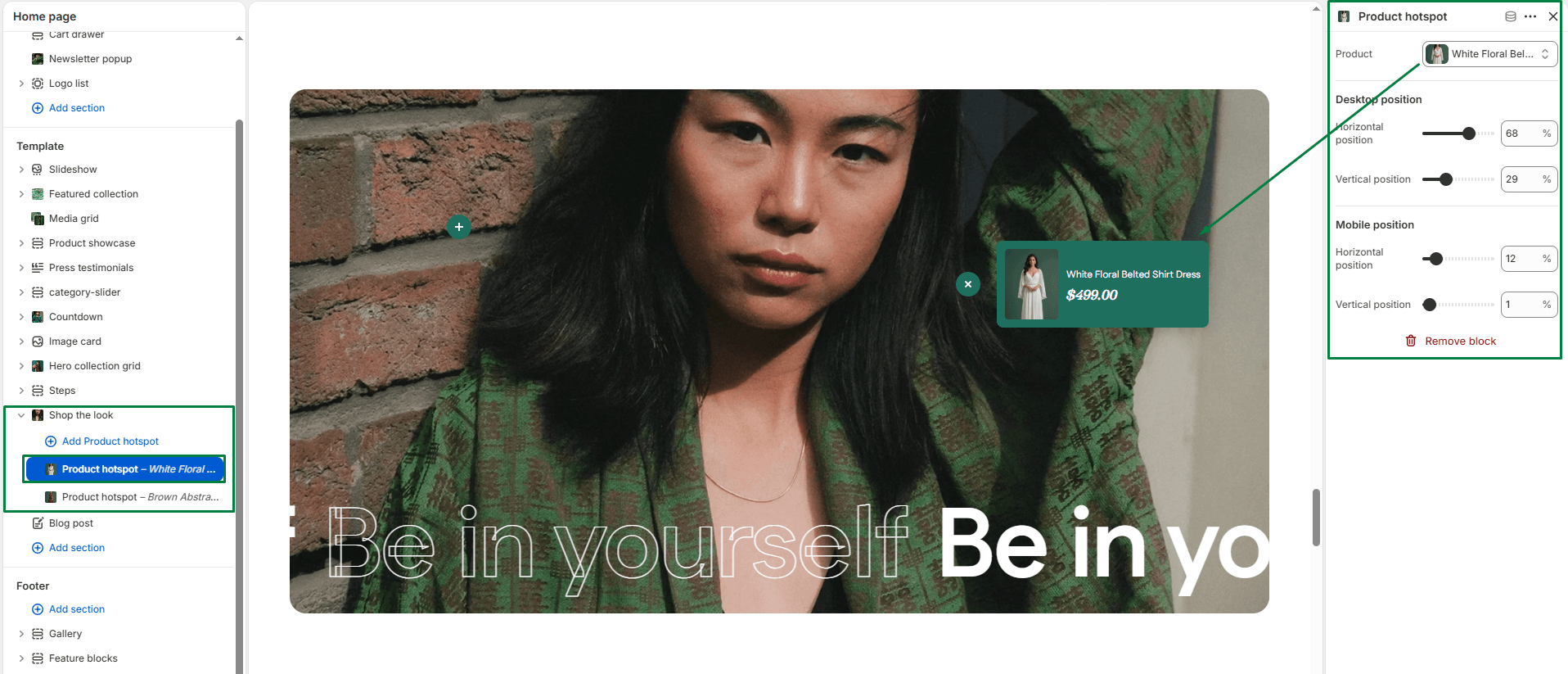
The Shop the look section is an interactive feature that displays a large lifestyle image with clickable “hotspots”. When a customer clicks a hotspot, they can view a quick popup with product details (image, title, price) and click through to the product. It’s a fantastic way to sell complete outfits or room setups!
Section settings
-
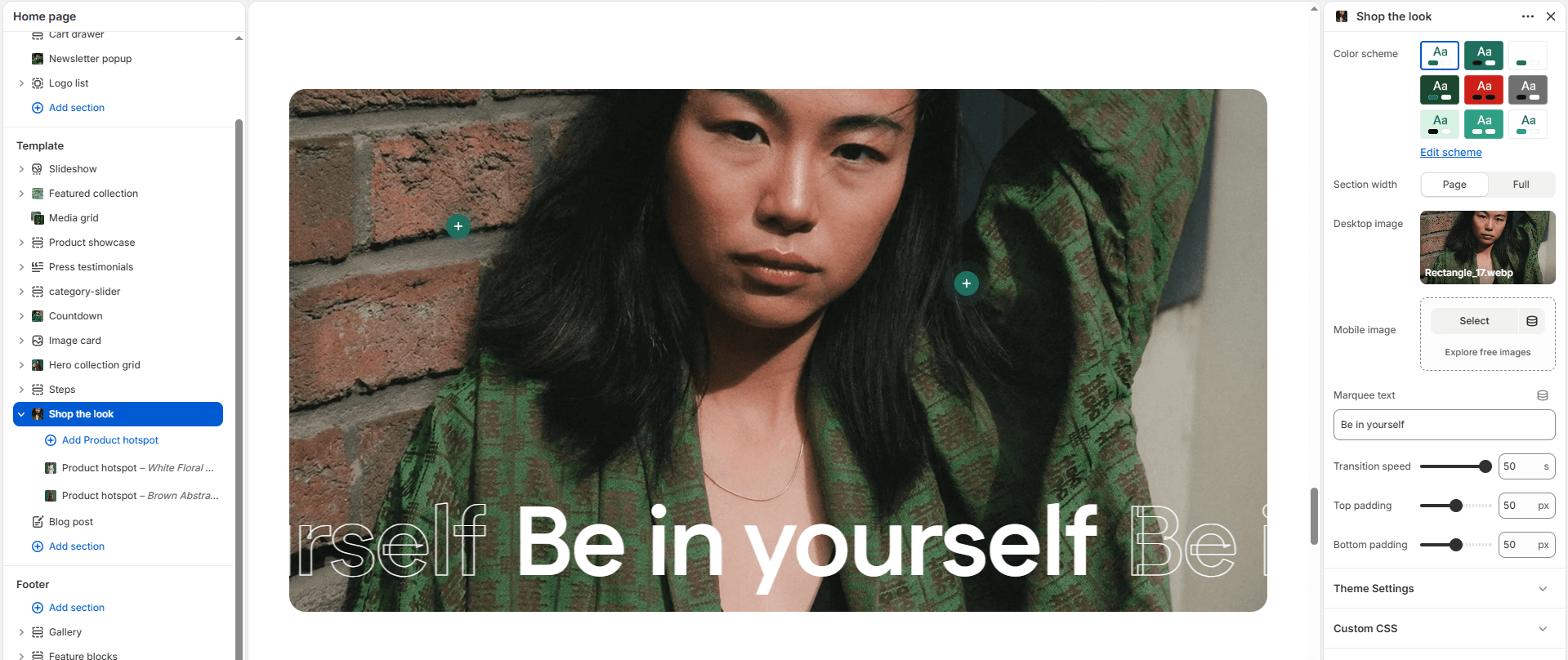
- Color scheme: Choose a predefined color palette to match the section’s background (visible on the edges if not full-width).
- Section width: Choose whether the section is constrained to
Pagewidth or stretches toFullwidth across the browser. - Images:
- Desktop image: Upload a high-resolution horizontal image optimized for large screens.
- Mobile image: Upload a vertically oriented image specifically for mobile users to ensure the best composition and hotspot accuracy.
- Marquee Banner: Add an optional scrolling text banner across the bottom of the section.
- Marquee text: The text to scroll (e.g., “Shop the new summer collection”).
- Marquee speed: Adjust how fast the text scrolls (in seconds).
- Top padding / Bottom padding: Adjust the vertical spacing (in pixels) above and below the section.
Blocks: Product hotspot
You can add multiple Product Hotspot blocks to your image. Each hotspot appears as a “+” icon that the user can interact with.
-
- Product: Select the specific product from your catalog that should be linked to this hotspot.
- Desktop position:
- Horizontal / Vertical position: Move the sliders (0% to 100%) to perfectly place the hotspot on the desktop version of the image.
- Mobile position:
- Horizontal / Vertical position: Move the sliders (0% to 100%) to independently adjust where the hotspot sits on the mobile version of the image. (This is crucial if your desktop and mobile images have different cropping!).