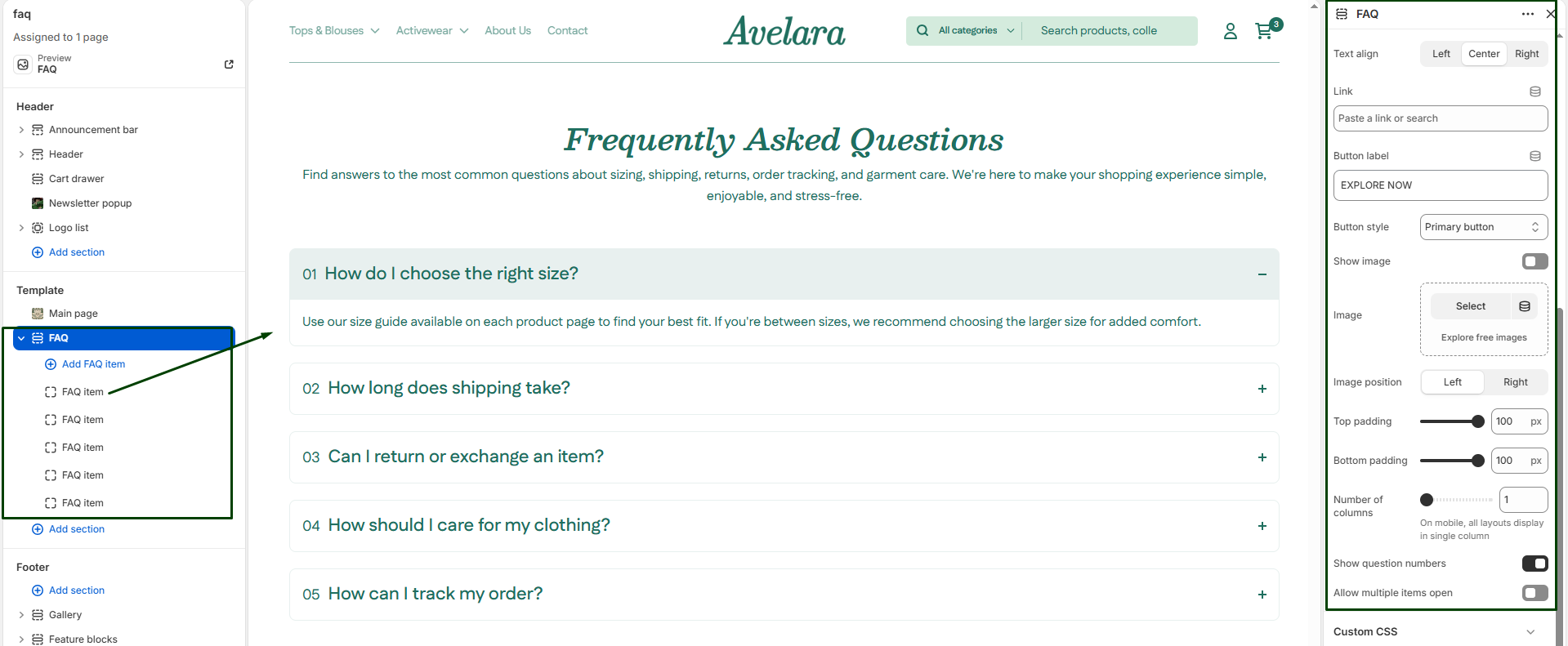
The FAQ Section allows you to display a list of frequently asked questions in a clean, interactive accordion layout. Each FAQ item can expand or collapse to show the answer, helping users find key information quickly without scrolling through massive walls of text. This section is perfect for support pages, product details, or shipping policies.
Section settings
-
- Color scheme: Select a predefined color style to match your theme’s design and ensure readability.
- Section width: Choose how wide the section appears on the page:
Page,Full, orNarrow. - Heading & size: Add the main section title (e.g., “Frequently Asked Questions”) and control its heading level (H1-H6).
- Description & Text size: Add a short paragraph shown below the heading (e.g., “Find answers to common questions about our products”) and adjust its text size.
- Text align: Aligns the heading and description text horizontally to the
Left,Center, orRight. - Button label & Link: Optionally add a call-to-action button (e.g., “Contact Support”) below your description text by providing the button text and the destination URL.
- Button style: Choose the visual style of the button (
PrimaryorSecondary). - Show image & Image: Toggle ON to display a floating image alongside your FAQ accordions, and upload the specific image you want to feature.
- Image position: If you are using an image, choose whether it anchors to the
LeftorRightside of the FAQ items. - Number of columns: Defines how many columns the FAQ items display in on desktop (1 to 3). Note: On mobile devices, all layouts automatically display as a single column for readability.
- Show question numbers: Toggle ON to display a stylish number next to each question (e.g., 01, 02, 03…).
- Allow multiple items to be open: When enabled, users can open more than one question at the same time. If disabled, opening a new question will automatically collapse the previously opened one.
- Top padding / Bottom padding: Adjust vertical spacing (in pixels) above and below the section.
Blocks: FAQ Item
Each block represents a single question and answer. You can add multiple FAQ Item blocks to build out your full list.
-
- Question: The primary question text displayed in the clickable accordion title (e.g., “What’s your return policy?”).
- Answer: The detailed text shown when the accordion expands. (e.g., “You can return any unworn item within 30 days of purchase.”).