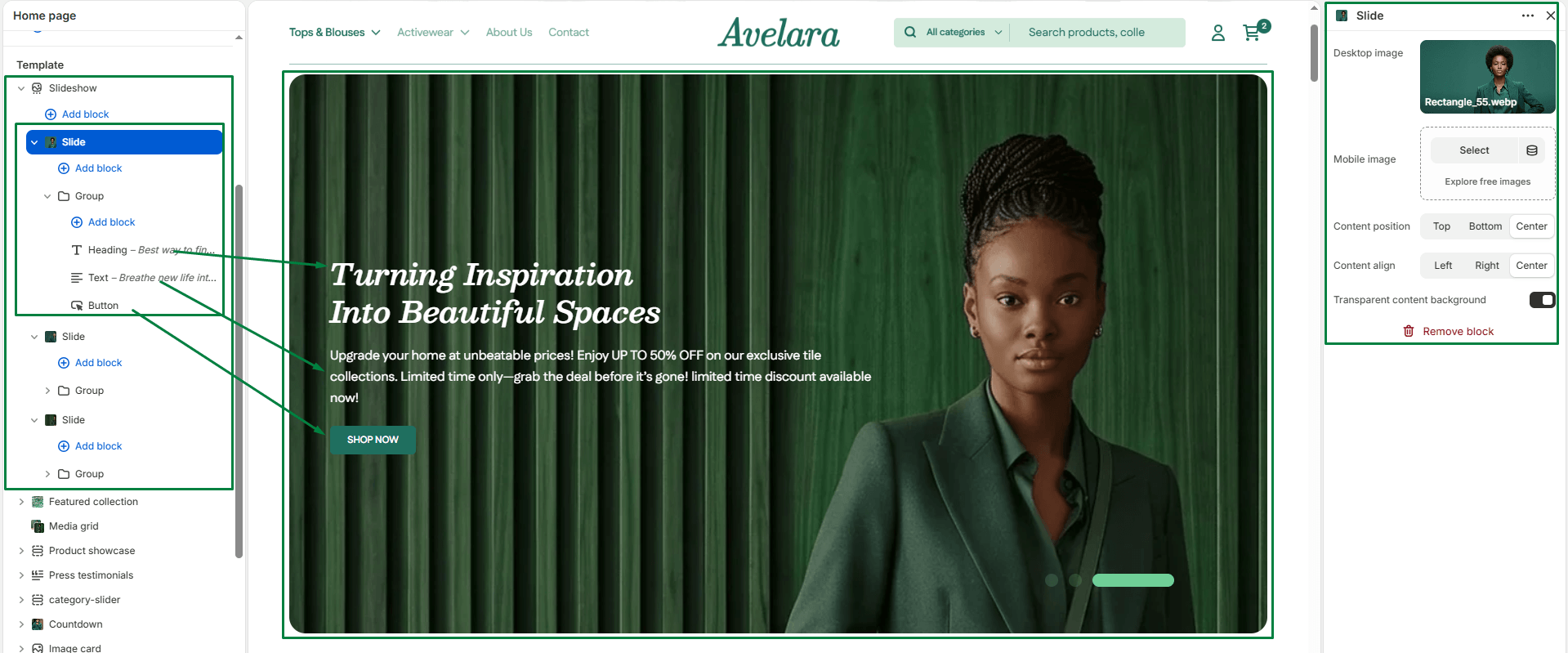
The Slide block is used within the Slideshow section to create individual rotating slides. Each slide acts as a container that can include its own imagery, text, buttons, and layout options. It’s ideal for showcasing major promotions, new collections, or brand stories in a highly visual carousel.
Block settings
-
- Desktop image: Upload or select an image for desktop devices. This image acts as the main visual background of your slide.
- Mobile image: Optional but highly recommended. Upload a separate, vertically oriented image optimized for mobile screens. If left empty, the desktop image will be cropped to fit mobile devices.
- Content position: Choose where the slide’s content box (containing your text and buttons) is placed vertically over the image:
Top,Center(default), orBottom. - Content align: Set the horizontal alignment of the text and elements within the content box:
Left,Center(default), orRight. - Transparent content background: Toggle ON to remove the solid background color behind your text and buttons, allowing the slide image to show through beautifully. (Toggle OFF if your text is hard to read against the image).