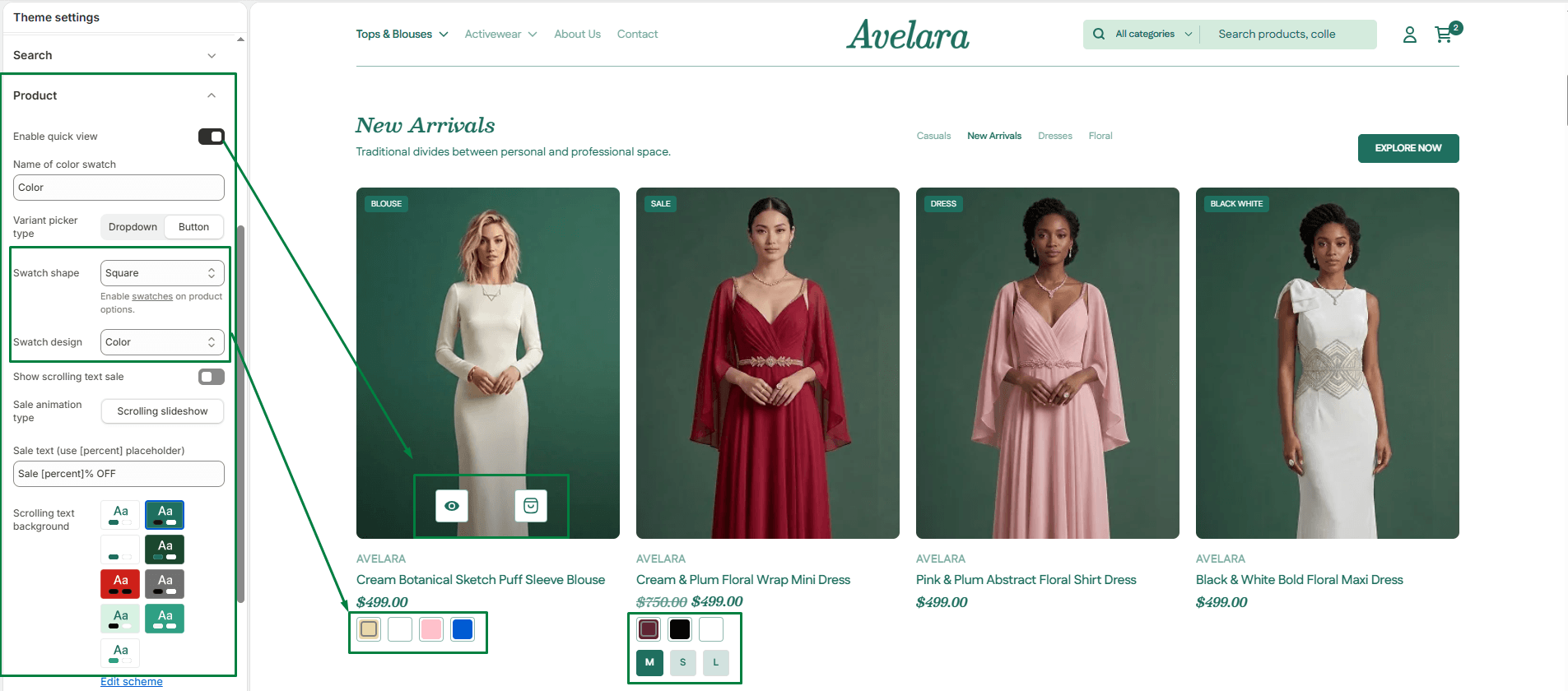
Customize how your products and their variants are displayed globally across your store. These settings are crucial for visual merchandising.
Navigate to Theme settings > Product to configure your swatches:
-
- Name of color swatch: Enter the exact product option name that you want to trigger the visual swatches (e.g.,
Color,Colour,Material, orSize). This tells the theme which variant option should use swatches instead of standard text. - Color swatch style: Choose how your options should be presented. You can display them as clickable buttons (which we recommend for ease of use) or as a standard dropdown menu.
- Swatch shape: Define the physical shape of your swatches (such as circles or squares) to match your brand’s aesthetic.
- Color swatch design: Choose the visual output for the swatches. You can set them to display solid colors, custom images/patterns (great for multi-colored fabrics), or simple text labels.
- Name of color swatch: Enter the exact product option name that you want to trigger the visual swatches (e.g.,