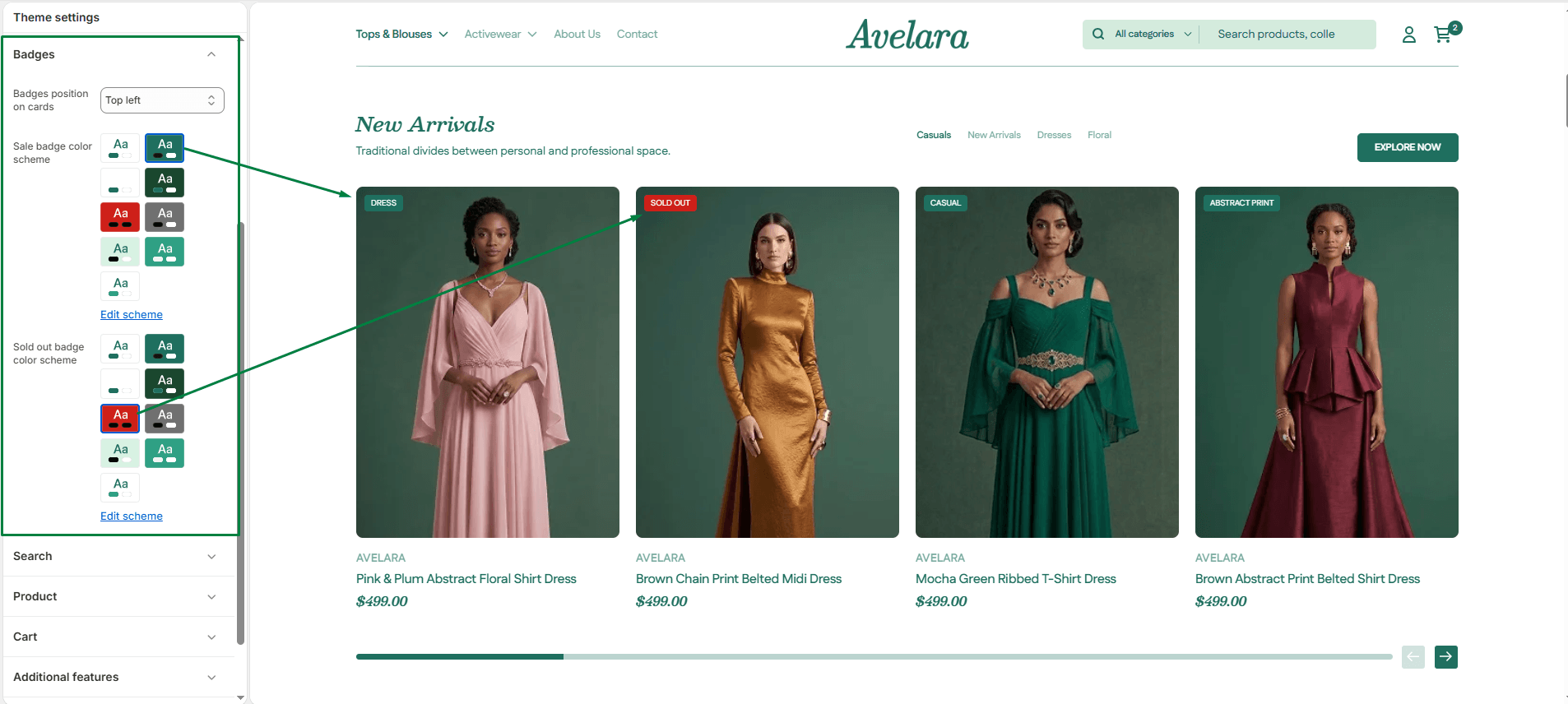
Badges are small visual indicators (like “Sale” or “Sold Out”) that appear over product images on collection pages and product grids. They help draw attention to specific items and create urgency.
Navigate to Theme settings > Badges to customize their appearance:
-
- Badge position: Choose where you want the badges to display on product cards. You can anchor the position to the Top Left, Top Right, Bottom Left, or Bottom Right of the product image.
- Sale badge color scheme: Select a specific background color scheme to make your “Sale” badges pop and grab shoppers’ attention.
- Sold-out badge color scheme: Choose a distinct background color scheme for your “Sold Out” badges so customers can quickly identify unavailable items.