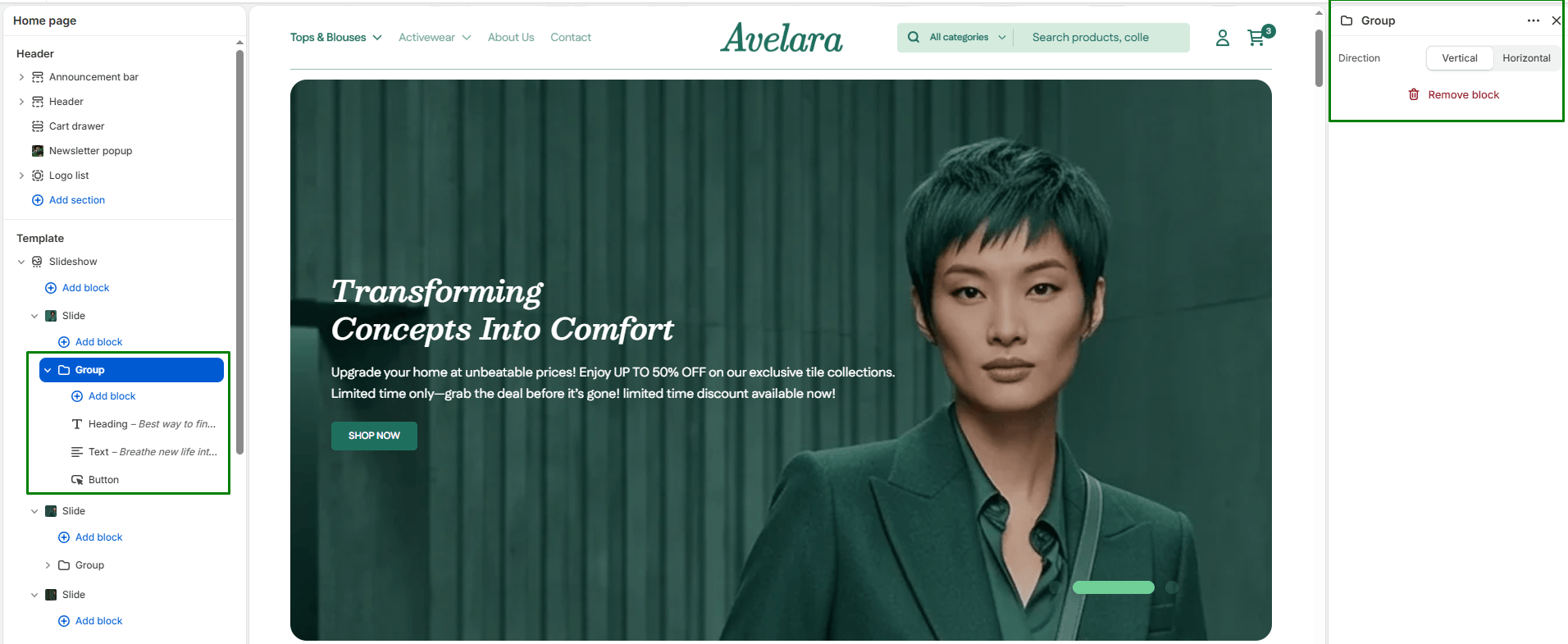
The Group block acts as a layout container used to combine multiple individual blocks (like headings, text, and buttons) together into a single structured unit. It helps keep related content perfectly aligned and organized within complex sections.
Block settings
-
- Block Contents: A group block is unique because it can contain its own “child” blocks. You can add subheadings, headings, text, and buttons directly inside a Group block to manage them together as one cohesive layout unit.
- Layout Direction: Choose how the child blocks inside the group are arranged. Options include:
Vertical: Stacks the content top-to-bottom (default).Horizontal: Aligns the content side-by-side horizontally.