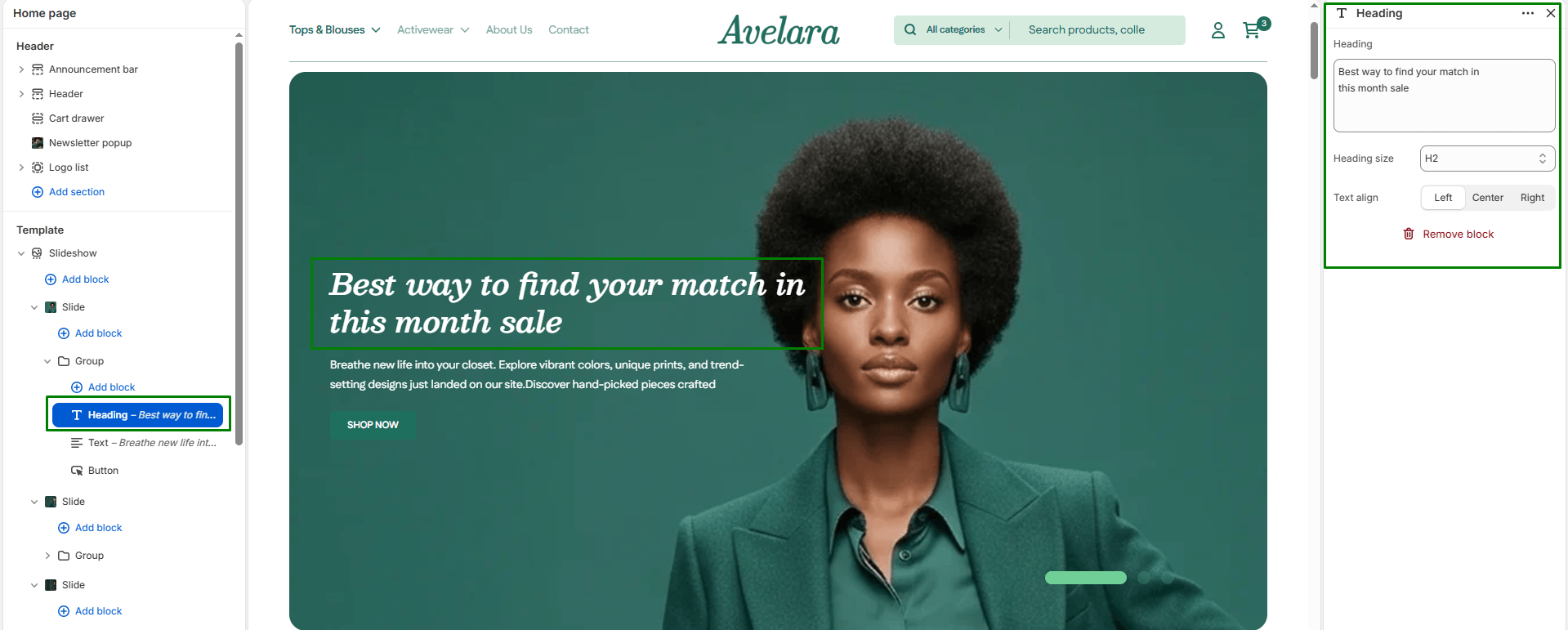
The Heading block allows you to add a prominent heading or main message to a section. It’s typically used to highlight campaign names, product launches, or brand taglines displayed over slideshow images or hero banners.
Block Settings
-
- Heading: The main text displayed as the title. This should be short, impactful, and visually clear.
- Heading size: Controls the visual size of the title text to establish hierarchy. Options include:
H1: Largest heading, ideal for main hero banners.H2: Medium-large heading for secondary slides or banners.H3: Medium heading (default in most themes).H4 - H6: Smaller headings suitable for subtle text or sub-sections.
- Text align: Aligns the heading horizontally within the content area:
Left,Center(default), orRight.