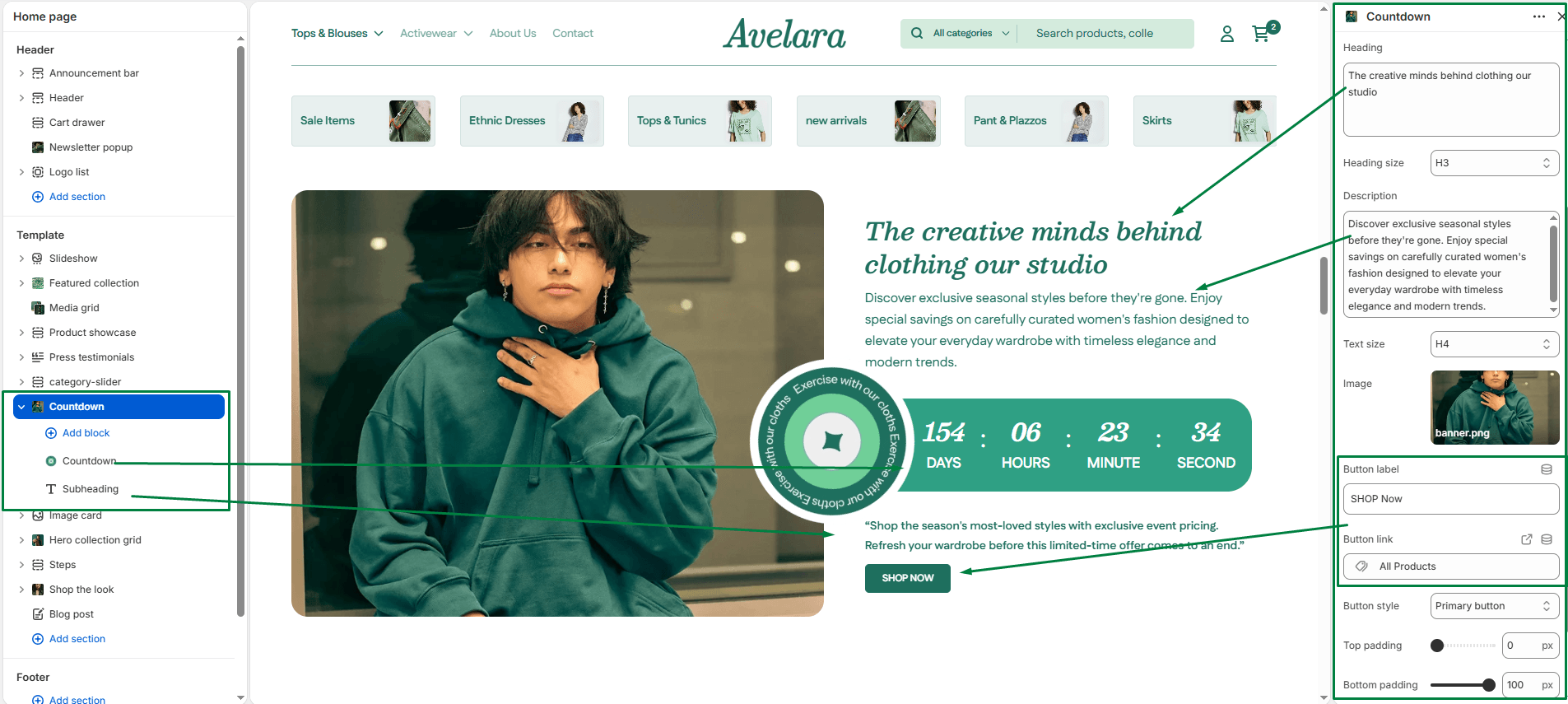
The Countdown block adds a dynamic real-time timer to your sections. It is perfect for building anticipation on a “Coming Soon” page or driving urgency during a flash sale.
Block Settings
-
- Expiration date: Set the target date and time for your countdown in the format
YYYY-MM-DD HH:MM(e.g.,2026-12-25 12:00). - Text size: Choose the display size of the countdown numbers and labels (H1-H6) to match your page’s typography hierarchy.
- Expiration behavior: Choose what happens automatically when the timer reaches zero:
- Hide: The countdown block completely disappears from the page.
- Leave: The timer remains visible but permanently stays at “00:00:00”.
- Badge image: Upload an optional decorative badge or icon that displays overlapping the countdown timer (great for a “Sale” or “New” sticker).
- Background color: Select a specific background color for the countdown container box to ensure it stands out from the surrounding section.
- Countdown text color: Choose the specific color for the countdown numbers and text labels.
- Expiration date: Set the target date and time for your countdown in the format