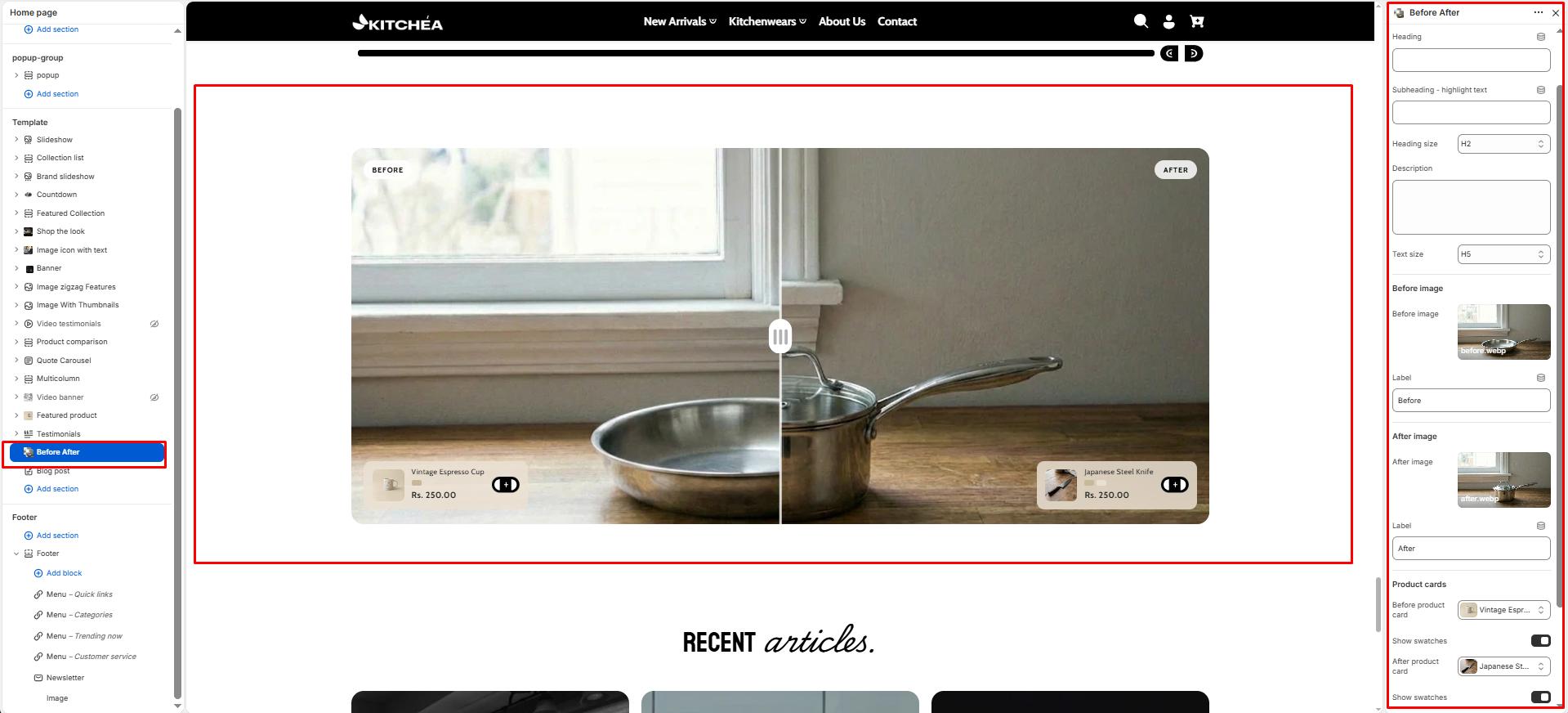
Before After
The Before & After section displays an interactive image comparison slider that allows customers to drag a handle left and right to reveal two different images side by side. It is ideal for showcasing kitchen transformations, product quality comparisons, or lifestyle differences such as a kitchen before and after using Kitchea products.
Color scheme
Sets the color scheme (background, text, etc.) for the section.
Section width
-
- Page – aligns with the site’s content width.
- Full – stretches across the full viewport width.
Heading
Add a heading text for the section.
Subheading – Highlight word
This word will be visually highlighted using the Subheading font style, adding a decorative touch to your blog section title.
Heading size
Choose heading size (H1–H6) for the section heading.
Description/Text
In the Text box, enter the description.
Text size
Allows choosing Text hierarchy (e.g., H1 To H6).
Before Image Settings
Before image
Upload the image displayed on the left side of the slider. This represents the before state, such as a kitchen without Kitchea products or an older cookware setup.
Before label
Enter a short label displayed over the before image. Default: Before.
After Image Settings
After image
Upload the image displayed on the right side of the slider. This represents the after state, such as a kitchen styled with Kitchea products or upgraded cookware.
After label
Enter a short label displayed over the after image. Default: After.
Product Card Settings
Before product
Select a kitchen product from your store to display as a floating product card on the before side of the slider. Shows the product image, title, price, and an add to cart button.
Show before swatches
Product Swatches Toggle ON to display color swatches on the before product card.
After product
Select a kitchen product from your store to display as a floating product card on the after side of the slider. Shows the product image, title, price, and an add to cart button.
Show after swatches
Product Swatches Toggle ON to display color swatches on the after product card.
Top padding
Adjust the spacing above the section (in pixels).
Bottom padding
Adjust the spacing below the section (in pixels).