Video banner
A video section is a part designed to embed and display a video. It is used when the goal is to have visitors concentrate on the video content without the additional elements that might be present in a video hero section. This section is ideal for detailed product demonstrations, in-depth tutorials, or any content that requires the viewer’s full attention.
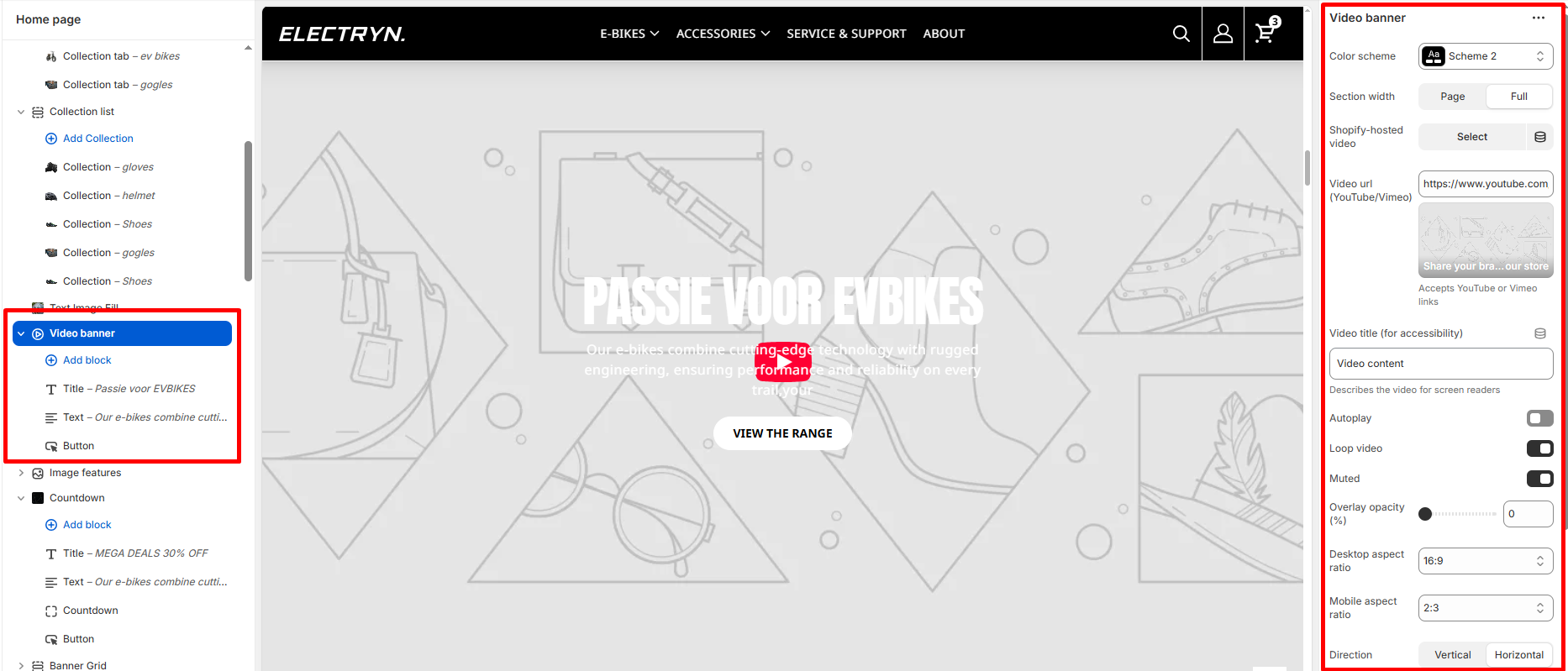
Color scheme
Select a color scheme defined in your theme. This controls the background and text color of the entire section.
Section width
-
- Page – aligns with the site’s content width.
- Full – stretches across the full viewport width.
Shopify-hosted video
Select a video that you’ve uploaded to Shopify Files video URL.
YouTube/Vimeo URL Desktop/Video URL
Select a video that you’ve uploaded to Shopify Files or insert a YouTube or Vimeo video URL.
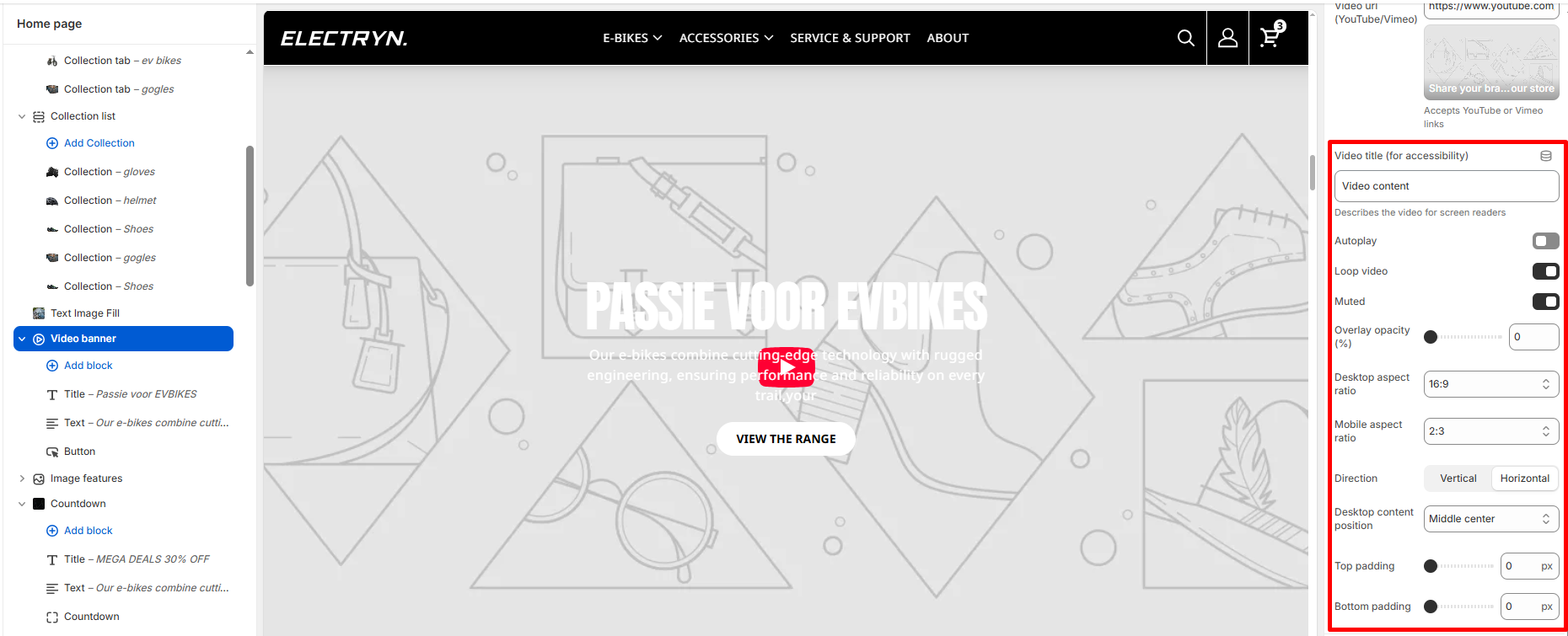
Auto play
Checked the checkbox for video auto play.
Loop video
When enabled, the video will replay automatically after it finishes.
Muted
Select/deselect to mute/unmute the video.
Overlay opacity (%)
Adjust the opacity of the overlay placed on top of the video.
Desktop aspect ratio
Select the aspect ratio of the video on desktop devices (e.g., 16:9).
Mobile aspect ratio
Choose a different aspect ratio for mobile devices (e.g., 2:3) to ensure optimal viewing on smaller screens.
Desktop content position
Select the most relevant area of the image for the content position on the desktop. Its options include:
-
- Top left
- Top center
- Top right
- Center left
- Center
- Center right
- Bottom left
- Bottom center
- Bottom right
Top Padding / Bottom Padding
Adds vertical spacing before and after the section.
Theme blocks
You can add the following theme blocks inside the video:
-
- Title block – Add a heading to your video.
- Text block – Include descriptive text or promotional messages.
- Button block – Add call-to-action buttons to drive user engagement.


