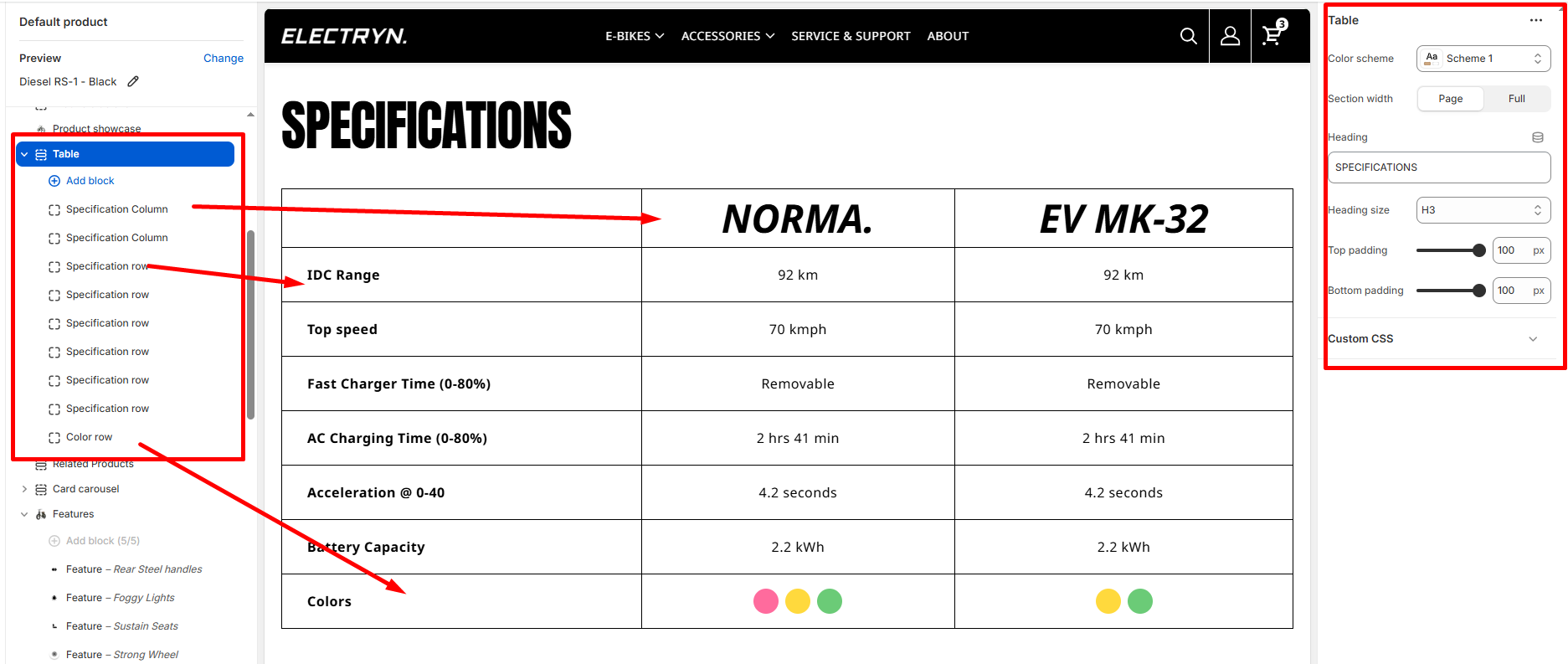
Table
The Table section creates a specifications comparison table with multiple columns and rows for displaying information in a structured format.
Color scheme
Select the color scheme from your theme’s available options to match your brand style.
Section width
-
- Page – aligns with the site’s content width.
- Full – stretches across the full viewport width.
Heading
Enter text to display as a heading.
Heading size
Allows choosing Title hierarchy (e.g., H1 To H6).
Top padding
Adds space above the section (in pixels).
Bottom padding
Adds space below the section (in pixels).
Blocks
Specification Column
Add columns to the table header.
Label
Enter the name for this column.
Specification row
Add specification rows to the table.x
Spec label
Enter the specification name .
Spec values
Enter values for each column separated by the pipe symbol “|”. Example: “92 km|92 km” . The order matches the columns from left to right.
Color row
Add a row to display colors as colored circles.
Color label
Enter the label for the color row (e.g., “Colors”).
Color values
Enter color hex codes for each column. Use commas “,” to separate multiple colors within a column, and pipe “|” to separate different columns.