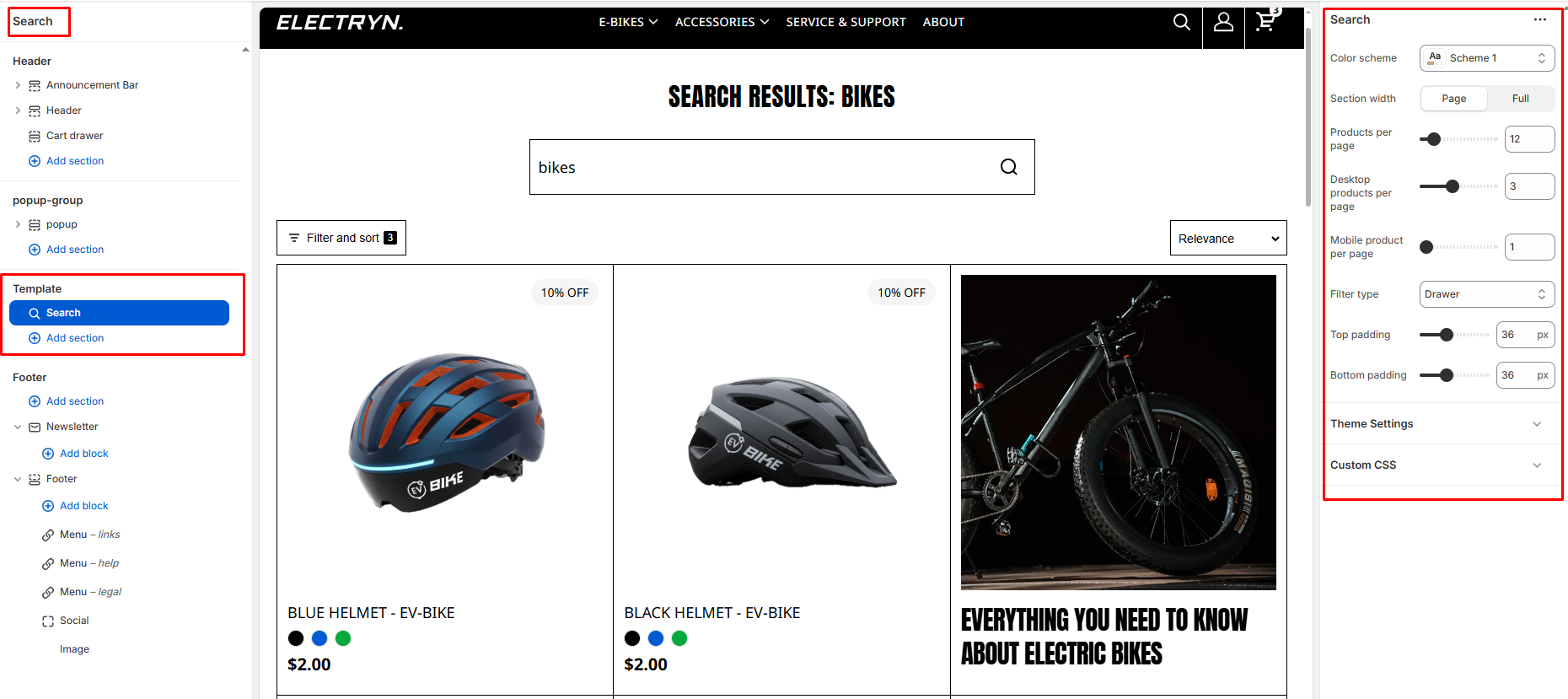
Search
The search page is the page that displays the search bar and relevant results after a customer uses your store’s search function. It allows your customers to easily find specific products, collections, or information on your website.
Color scheme
Sets the color scheme (background, text, etc.) for the section.
Section width
Choose how wide the section spans on the page:
-
- Page – aligns with the site’s content width.
- Full – stretches across the full viewport width.
Product per page
Controls the total number of products displayed on each page.
Desktop product per page
Number of products shown per row on desktop devices.
Mobile product per page
Number of products shown per row on mobile devices.
Filter type
Determines how filters appear and function on the page.
-
- Drawer: Filters slide out from the side.
- Inline: Filters are visible above the product grid.
Top Padding
Add vertical spacing above the announcement content for layout customization.
Bottom Padding
Add vertical spacing below the announcement content.