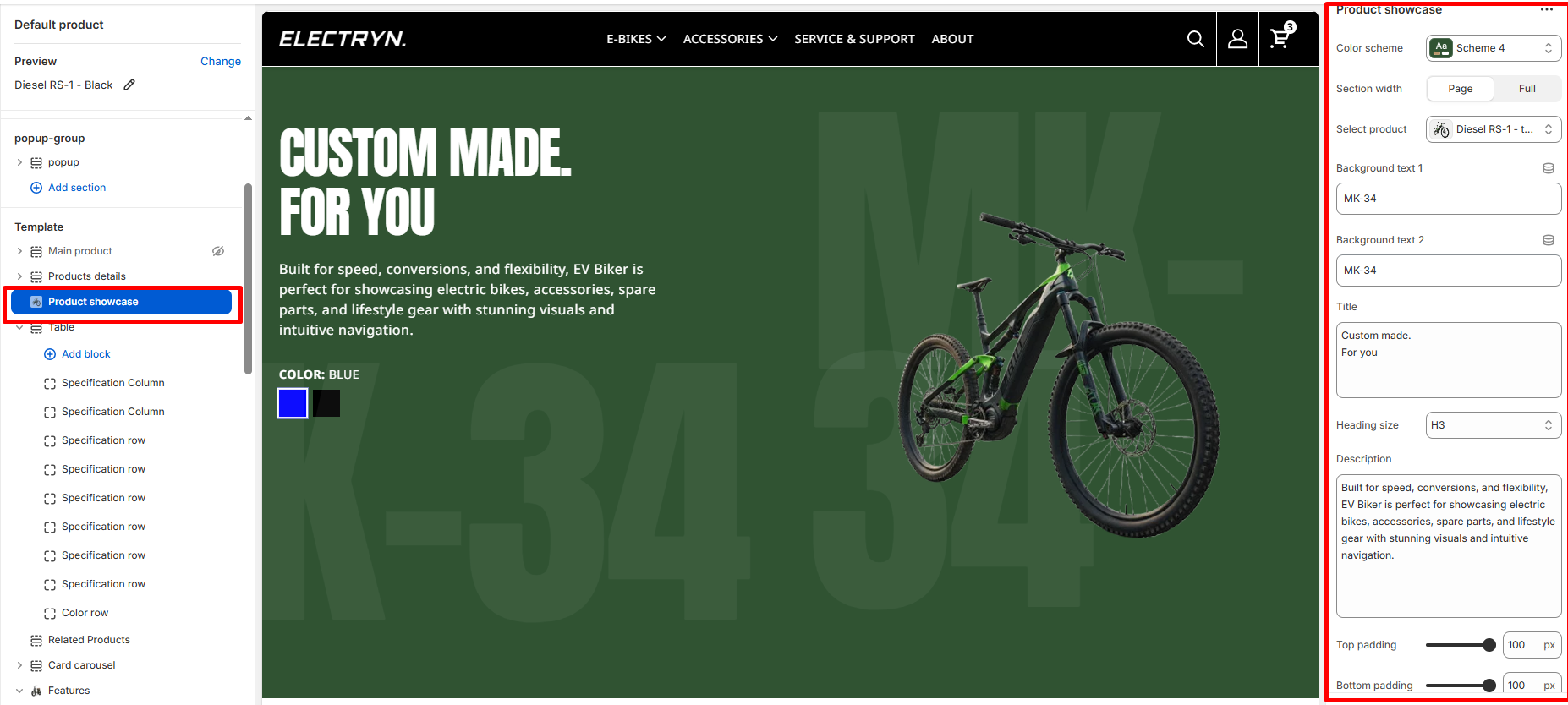
Product showcase
The product showcase section displays a selected product with its variants, allowing customers to preview different options with dynamic image changes.
Color scheme
Select the color scheme from your theme’s available options to match your brand style.
Section width
-
- Page – aligns with the site’s content width.
- Full – stretches across the full viewport width.
Select product
Choose the product you want to showcase. The section will automatically display the product’s title, description, variants, and images.
Background text 1
Enter decorative background text that appears behind the product (line 1). This creates a large typography effect.
Background text 2
Enter decorative background text that appears behind the product (line 2). This text is displayed prominently in the background.
Title
Enter text to display as a heading.
Heading size
Allows choosing Title hierarchy (e.g., H1 To H6).
Description/Text
Adjust the width of the overlay image using the slider control. Values are set in pixels (px).
Top padding
Adds space above the section (in pixels).
Bottom padding
Adds space below the section (in pixels).