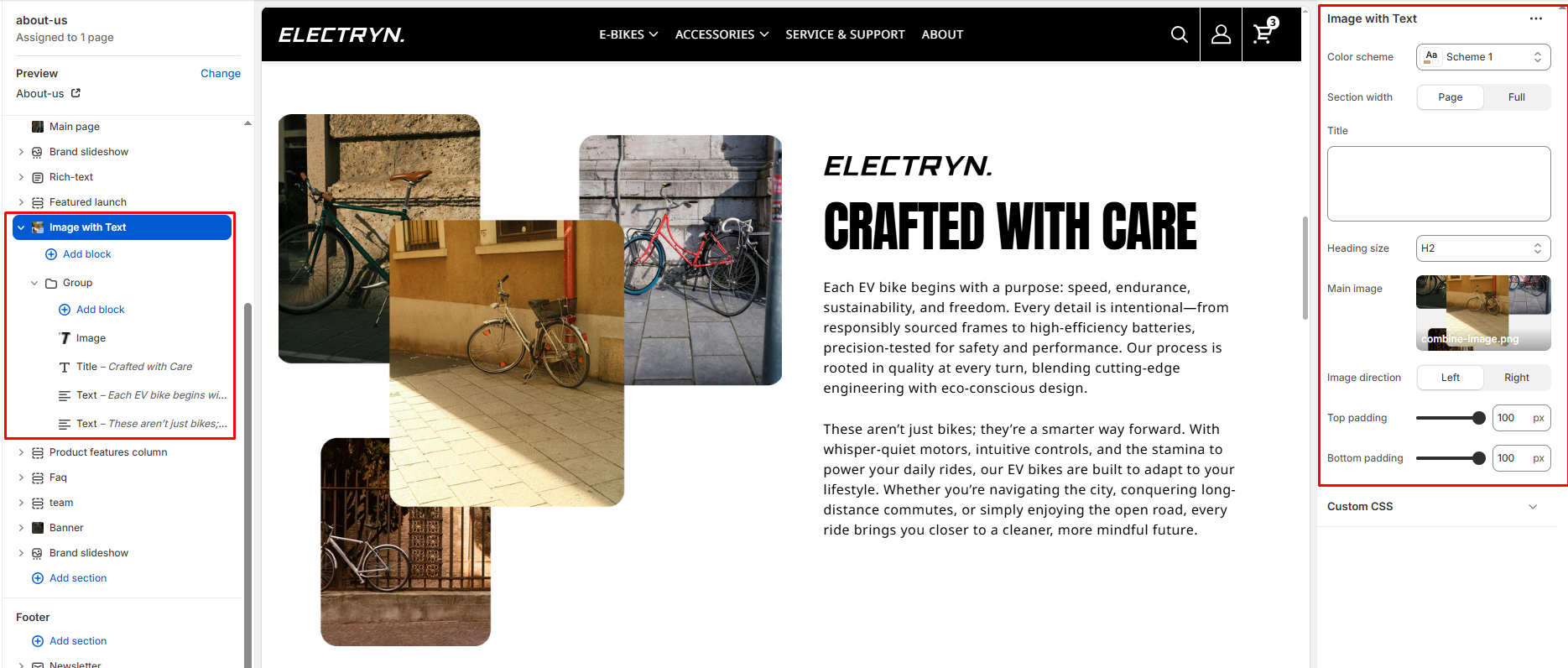
Image with Text
The Image with Text section is used to display one or two images alongside textual content (title, text, button). This layout is often used to highlight features, promotions, or brand stories.
Color scheme
Select a color system for background, text, and button color.
Section width
-
- Page – aligns with the site’s content width.
- Full – stretches across the full viewport width.
Title
Enter text to display as a heading.
Heading Size
Adjusts the size of the heading in dropdown (H1 to H6).
Main image
Main image to display.
Image direction
Choose whether the images appear on the Left or Right side of the text.
Top padding
Add spacing above the section (in pixels).
Bottom padding
Add spacing below the section (in pixels).
Theme blocks
You can add the following theme blocks inside the section:
-
- Title block – Add a heading to your section.
- Text block – Include descriptive text or promotional messages.
- Image block – Add Logo images to your section.
- Button block – Add call-to-action buttons to drive user engagement.