Featured Collection
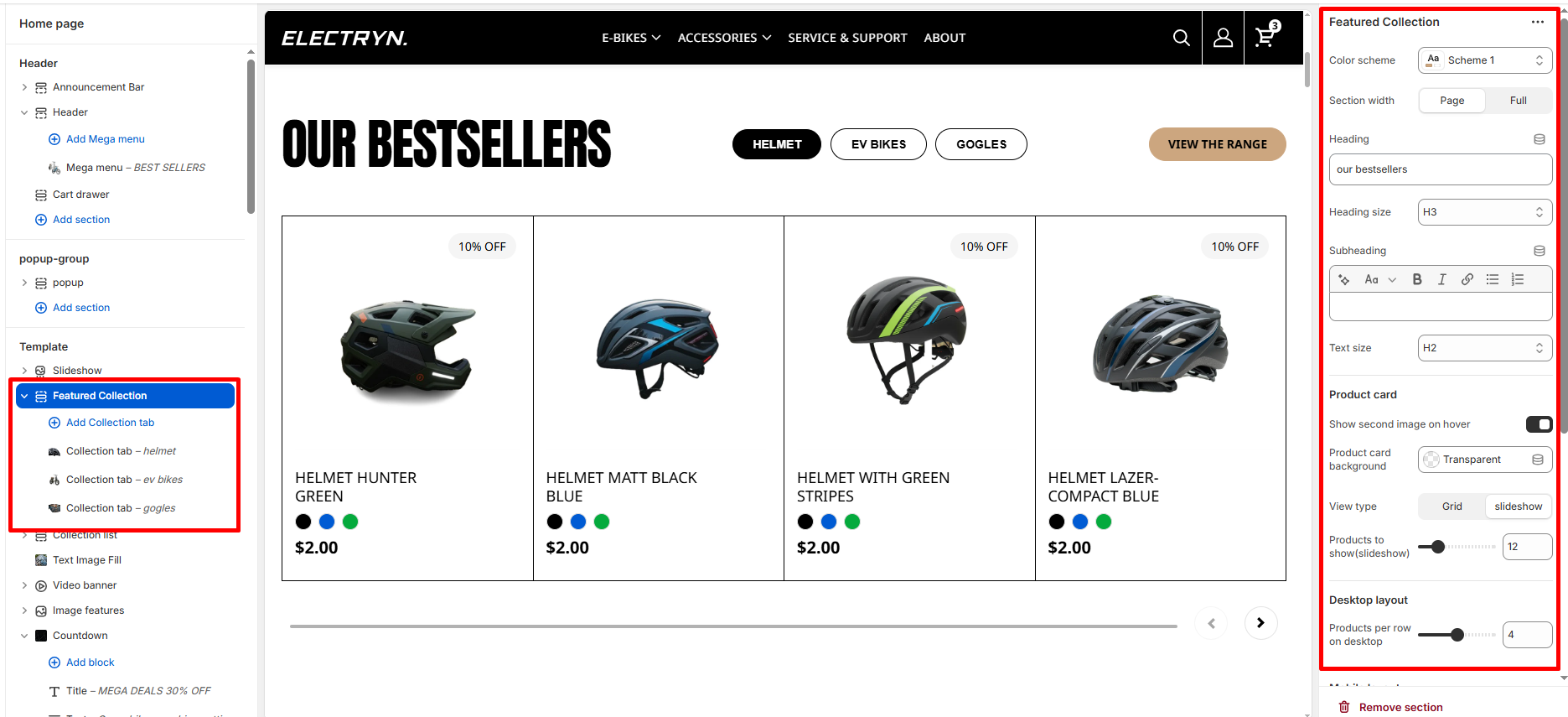
The Featured Collection section allows you to highlight products from one or more collections directly on your homepage. It supports toggling between collections, customizing the display layout, and configuring product card options.
Color scheme
Selects the color scheme for the entire section (e.g., Scheme 1, Scheme 2).
Section width
-
- Page – aligns with the site’s content width.
- Full – stretches across the full viewport width.
Heading
Add a heading text for the section.
Heading size
Choose heading size (H1–H6) for the section heading.
Subheading/Text
In the Text box, enter the description.
Text Size
Allows choosing Text hierarchy (e.g., H1 To H6).
Product card
Show second image on hover
Enable to show the product’s second image when hovered.
Product card background
Option to choose between Transparent or Solid background for product cards.
Desktop layout
Choose layout style: Grid or Slider.
Products to show(slideshow)
Define the total number of products to display from the collection.
Products per row on desktop
Set how many products to display per row.
Products per row on mobile
Set how many products to display per row on smaller screens.
Show “View all” button
Toggle to show or hide a button linking to the full collection page.
Top padding
Adjust spacing above the section (in pixels).
Bottom padding
Adjust spacing below the section (in pixels).
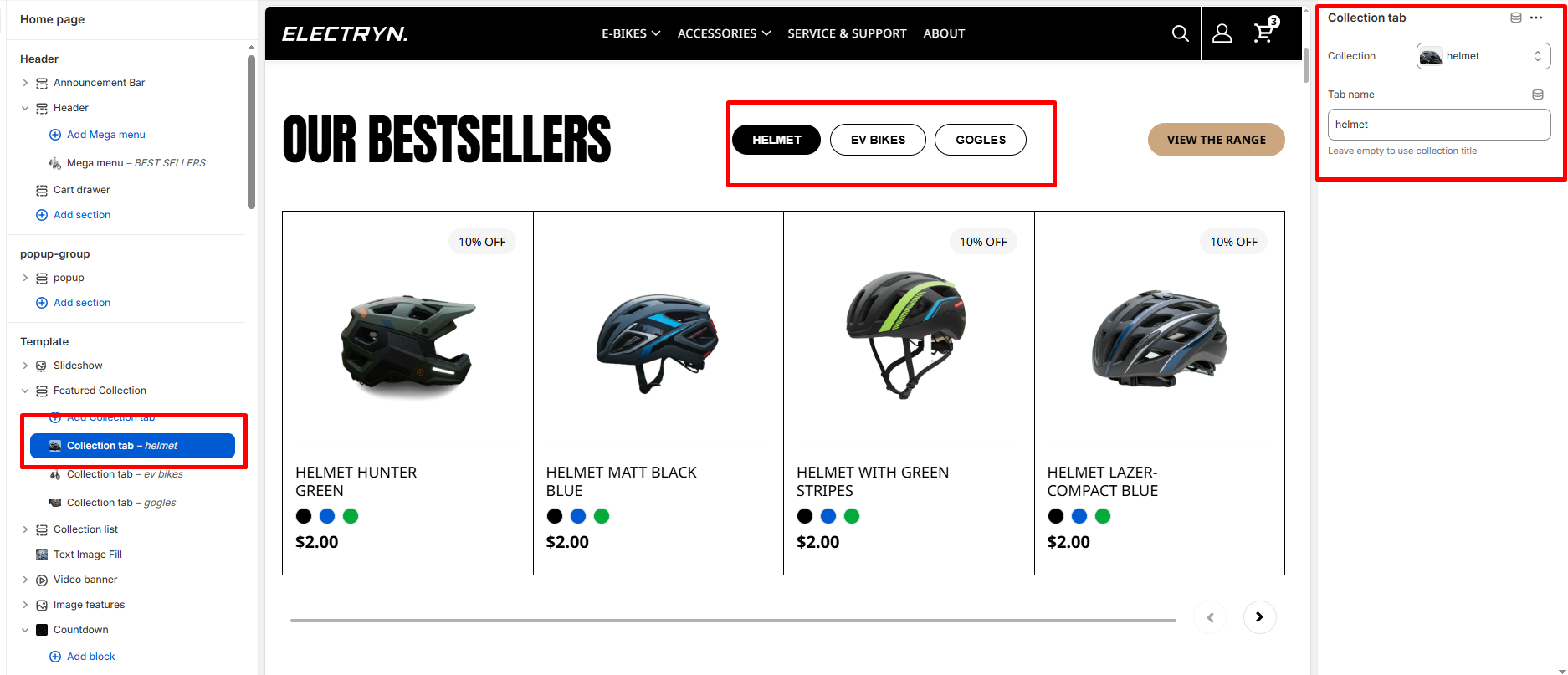
 Blocks – Collection tab
 Blocks – Collection tab
Collection
Choose which collection’s products to display in this block.
Label/Tab name
Text displayed as the tab button for the collection.