Faq
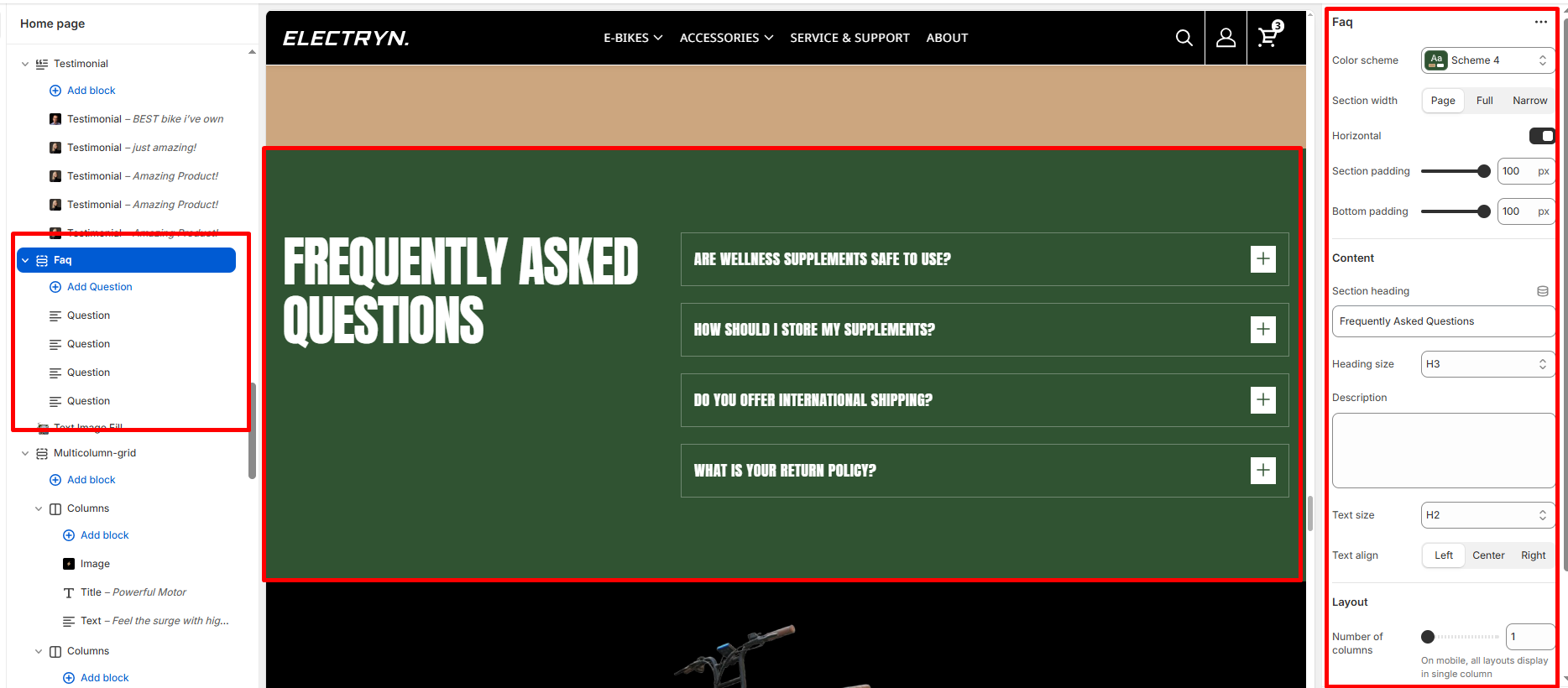
The FAQ (frequently asked questions) section displays common questions and answers from customers using a dynamic, accordion-style layout.
Color scheme
Select a color scheme defined in your theme. This controls the background and text color of the entire section.
Section width
-
- Page – aligns with the site’s content width.
- Full – stretches across the full viewport width.
- Narrow: Centered, compact layout (recommended for better readability).
Horizontal
Toggle on to display section in column view.
Heading
Enter text to display as a heading.
Heading Size
Adjusts the size of the heading in dropdown (H1 to H6).
Description/Text
In the Text box, enter the description.
Text Size
Allows choosing Text hierarchy (e.g., H1 To H6).
Text Align
This setting determines the horizontal alignment of text within the section. It gives the merchant control over how content such as headings, descriptions, or buttons are positioned, enabling better alignment with their store’s design and layout preferences.
-
- Left: Aligns all text to the left.
- Center: Centers the text horizontally.
- Right: Aligns all text to the right.
Number of columns
Defines how many columns the FAQ items display in (usually 1).
Note: On mobile devices, all layouts display as a single column.
Show question numbers
Toggle ON to display numbered questions (e.g., 01, 02, 03…).
Allow multiple items open
When enabled, users can open more than one question at the same time.
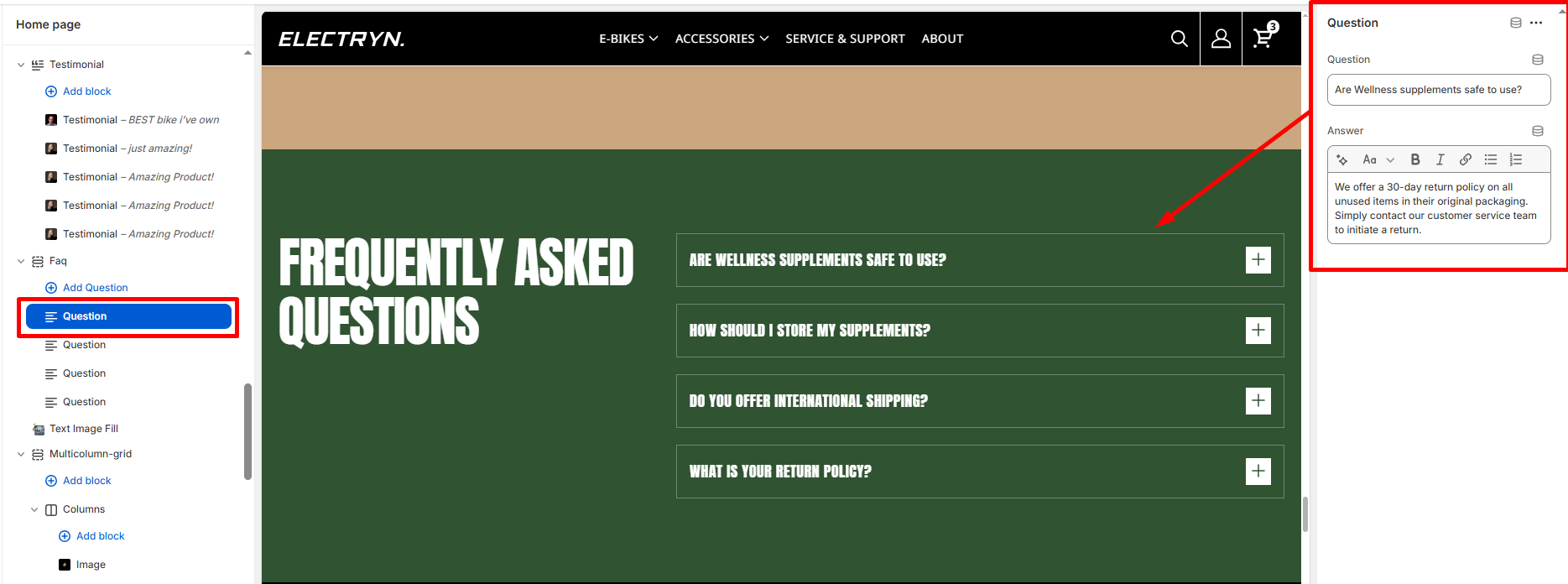
Blocks – Question
Question
In the Question, enter text to display as a question inside the block.
Answer
In the Answer, enter text to display as an answer inside the block. Format the text and add links using the text editor.