Blog Post
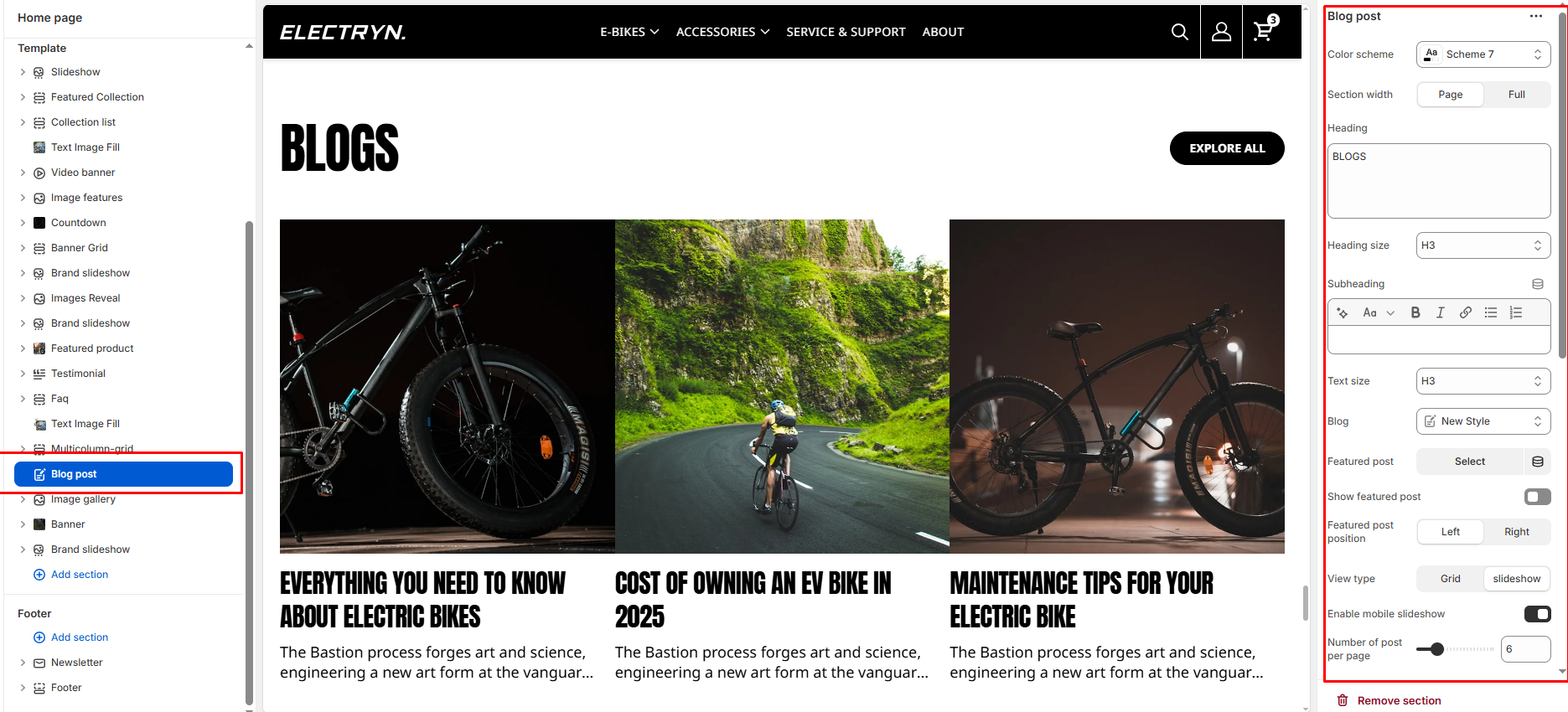
The Blog Post section allows you to display the latest posts from your Shopify blog. You can showcase recent articles in a grid or slider layout with multiple customization options for layout, visibility, and style.
Color Scheme
Applies a global color scheme defined in your theme settings for background and text.
Section width
Choose how wide the section spans on the page:
-
- Page – aligns with the site’s content width.
- Full – stretches across the full viewport width.
Heading
The section’s main title.
Heading Size
Adjusts the size of the heading in dropdown (H1 to H6).
Text
The section’s text.
Text Size
Adjusts the size of the text in dropdown (H1 to H6).
Blog
Choose which blog to pull posts from. You must have blog posts created in Shopify (Online Store > Blog Posts).
Show featured panel
Toggle ON to highlight the most recent or featured blog post with a larger layout.
Featured panel position
Choose whether the featured blog post appears on the Left or Right.
Desktop layout
Select between Grid or Slider layout for desktop view.
Enable Slider
Switch the layout from grid to slider for horizontal scrolling of blog cards.
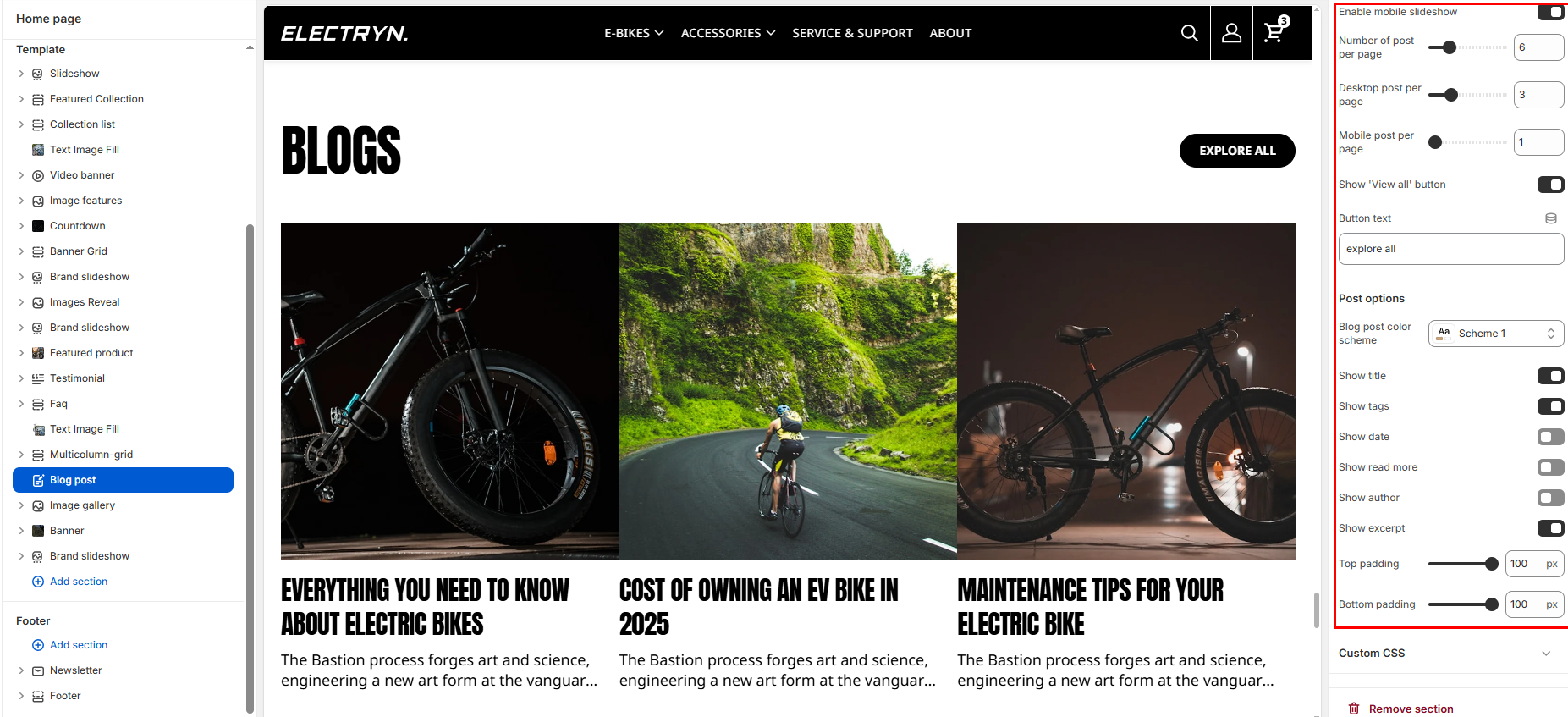
Enable Slider on Mobile
Forces slider layout on mobile devices even when grid is selected on desktop.
Number of post per page
Controls how many blog posts appear in a row on desktop 1 to 6.
Desktop post per page
Limits the total number of blog posts shown.
Mobile post per page
Limits the total number of blog posts shown in mobile.
Show ‘View all’ button
Toggle ON to display a “View All” or “See All” button linking to the full blog page.
View all button label
Customize the button text (e.g., SEE ALL).
Post options
Blog card color
Apply a color scheme for individual post cards.
Show Title
Display blog post’s title.
Show Expert
Display blog post’s full descriptions.
Show Tag
Display blog tags below post title.
Show Author
Show the blog author’s name below the post.
Show Date
Displays the blog post’s publish date.
Show Read More
Displays the read more button.
Top Padding / Bottom Padding
Sets spacing above and below the section to control vertical layout.