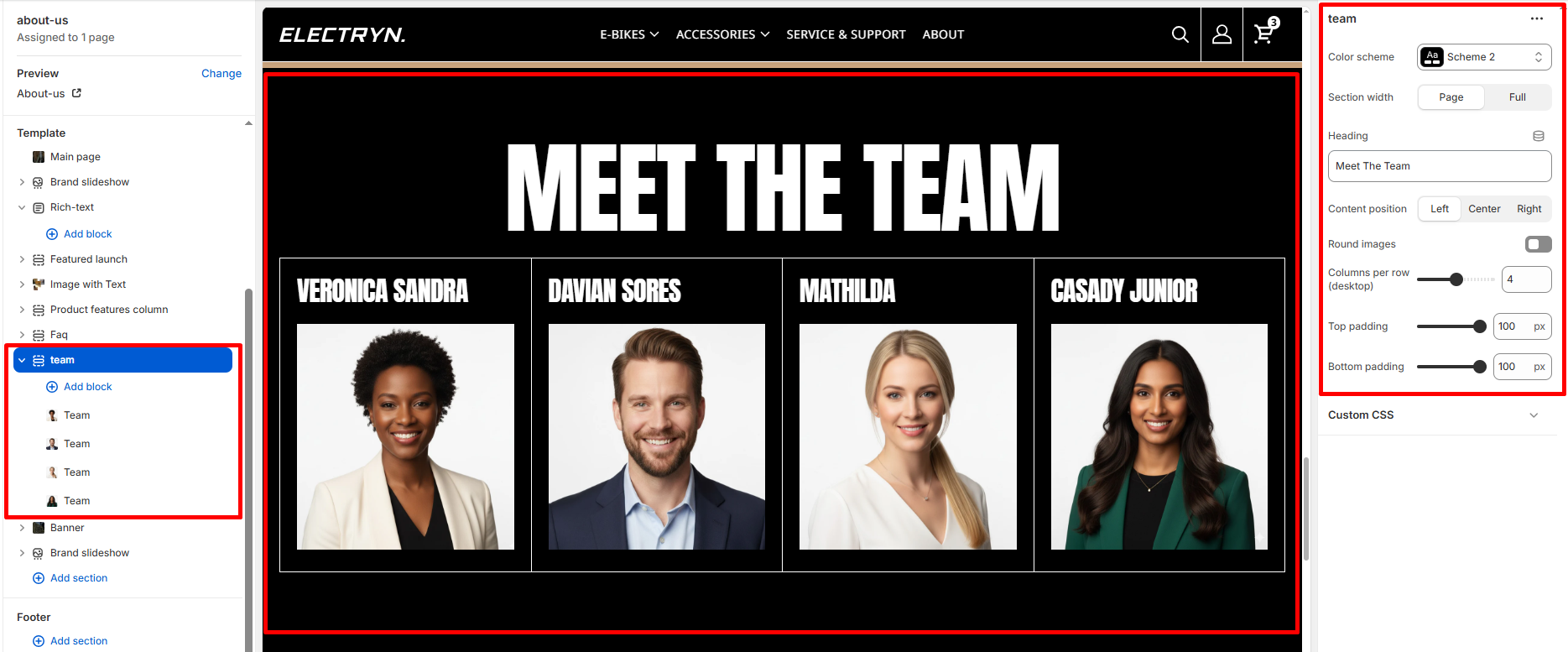
Team
A Team section showcases team members or staff in a professional grid layout with photos, names, and additional information. This section is ideal for introducing your team, displaying leadership, or highlighting key personnel on your about page or company profile. Each team member is presented with a photo, name, and optional details in a clean, organized format.
Color scheme
Select the color scheme from your theme’s available options to match your brand style.
Section width
Choose how wide the section spans on the page:
-
- Page – aligns with the site’s content width.
- Full – stretches across the full viewport width.
Heading
Enter text to display as a Title.
Content position
Choose the alignment for the section heading:
-
- Left
- Center
- Right
Round images
Enable this toggle to display team member photos with rounded corners or circular shapes for a softer, more modern appearance.
Columns per row (desktop)
Adjust the number of team member cards displayed per row on desktop devices using a slider control.
Top padding
Adds space above the section (in pixels).
Bottom padding
Adds space below the section (in pixels).
Block – Team
Add multiple team blocks to create a grid of team members.
Image
Upload or select a photo of the team member.
Author
Enter the team member’s name.
Author info
Add additional information about the team member such as job title, role, department, or brief description using a text field.