Image features
An Image Features section is designed to showcase multiple features or benefits with accompanying images in a visually appealing grid layout. This section is ideal for highlighting product features, service offerings, or key selling points with decorative SVG icons and images. The layout combines text, images, and custom SVG graphics to create an engaging presentation.
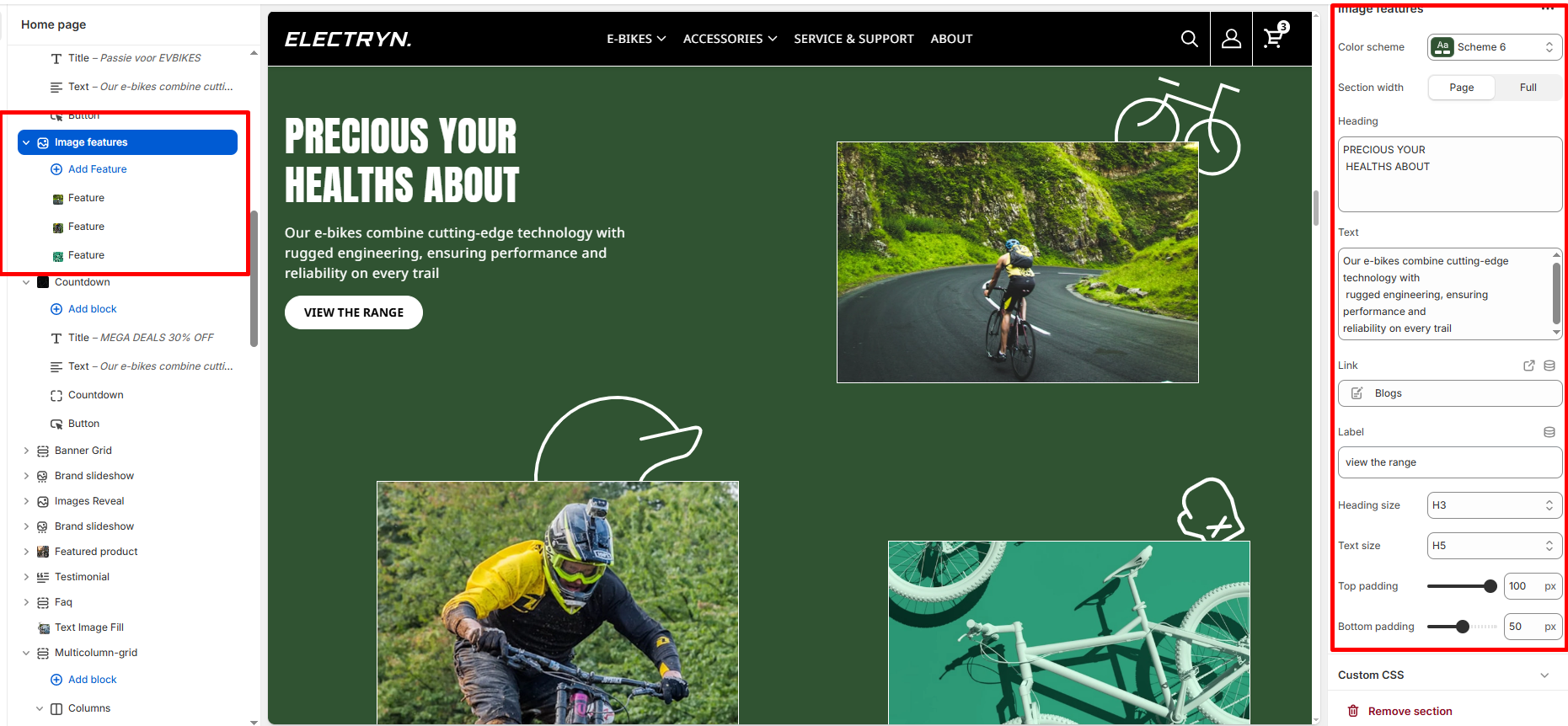
Color scheme
Choose from your theme’s predefined color schemes to match the look and feel of the testimonial section.
Section width
-
- Page – aligns with the site’s content width.
- Full – stretches across the full viewport width.
- Narrow: Centered, compact layout (recommended for better readability).
Heading
Enter text to display as a heading.
Heading Size
Adjusts the size of the heading in dropdown (H1 to H6).
Text
In the Text box, enter the description.
Text Size
Allows choosing Text hierarchy (e.g., H1 To H6).
Button link
Paste a link or search for a page/product to link the button to.
Button label
Enter the button text that will be displayed (e.g., “view the range”).
Top padding
Controls the vertical spacing above the testimonial (in pixels).
Bottom padding
Controls the vertical spacing below the testimonial (in pixels).
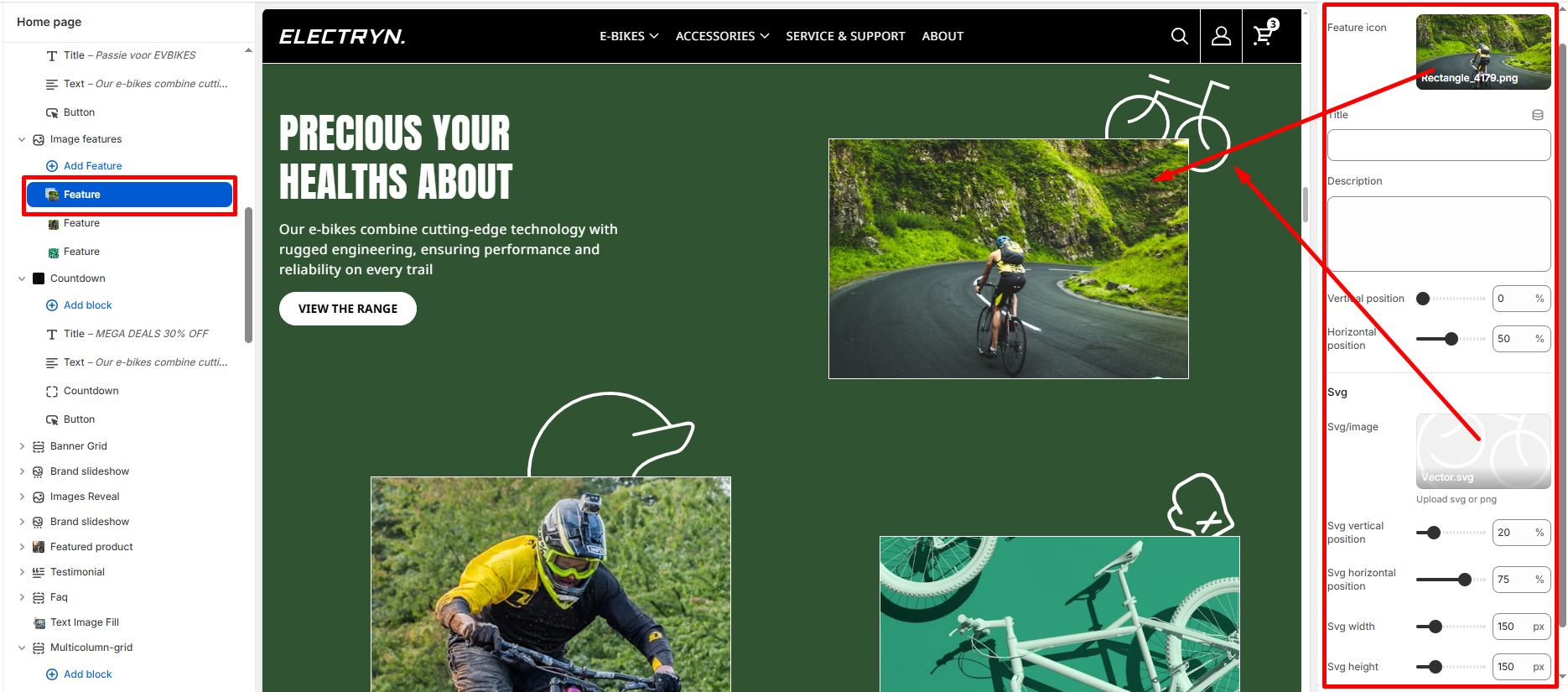
Block – Feature
Feature icon
Upload an image to represent the feature .
Title
Enter the feature title or heading.
Description
Add descriptive text explaining the feature.
Vertical position
Adjust the vertical positioning of the feature content using a slider control. Values range from 0-100%.
Horizontal position
Adjust the horizontal positioning of the feature content using a slider control. Values range from 0-100%.
SVG Settings
-
- Svg/image – Upload an SVG or PNG file to be used as a decorative graphic element (e.g., “vector.svg”).
- Svg vertical position – Adjust the vertical position of the SVG graphic using a slider control.
- Svg horizontal position – Adjust the horizontal position of the SVG graphic using a slider control.
- Svg width – Control the width of the SVG graphic using a slider. Values are set in pixels (px).